Delete
Insert and search both end when you find an empty spot or the value you’re after. Delete is a little more involved, because removing a node can leave a gap that needs to be patched. There are three cases, depending on how many children the node being deleted has.
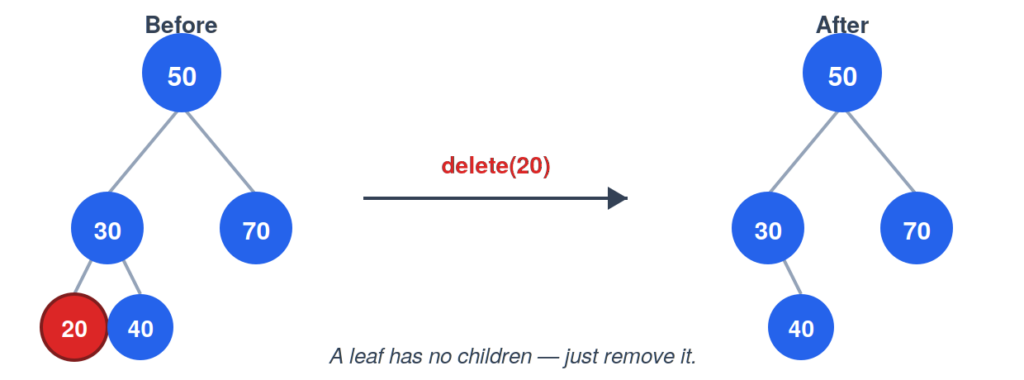
Case 1: The node is a leaf. No children means nothing to reconnect — just remove it.
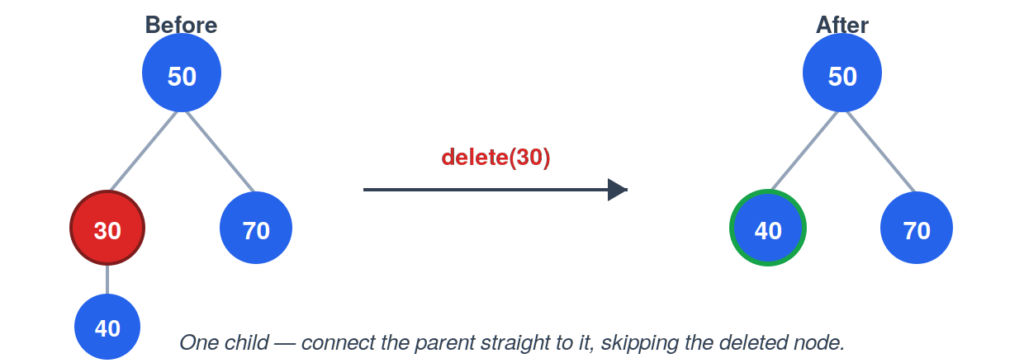
Case 2: The node has one child. Skip over the deleted node by connecting its parent directly to its child.
Case 3: The node has two children. This is the tricky one — there’s no single child to promote. Instead, find the node’s **in-order successor**, the smallest value in its right subtree, and swap it into the deleted node’s place. That successor is guaranteed to have at most one child of its own (it’s the smallest in its subtree, so it can’t have a left child), which turns removing it into one of the two simpler cases above.
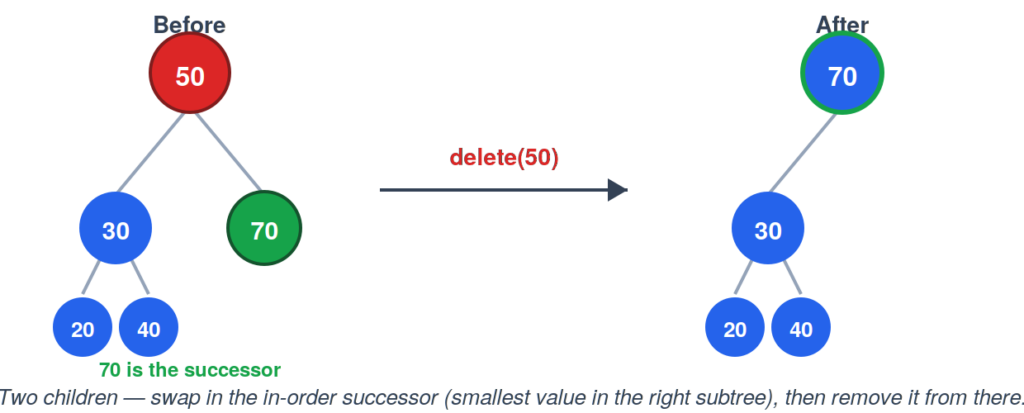
In that example the successor was easy to spot — it was the right child itself, since 70 had no left child of its own. In a bigger tree, the successor is usually buried a few levels down. The rule stays the same, though: go right once, then keep going left until you can’t anymore. Wherever you land is the successor.
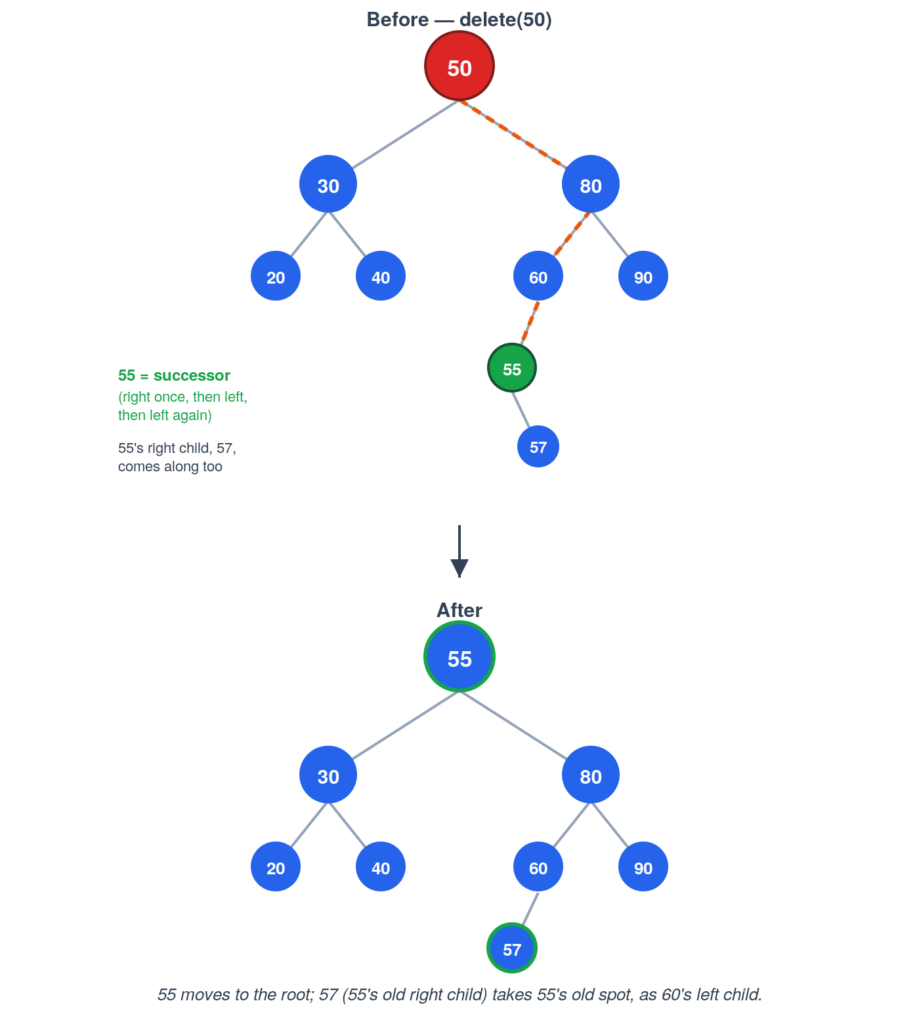
Here, deleting 50 means going right to 80, then left to 60, then left again to 55 — 55 has no left child, so the search stops there. 55 slides up into 50’s spot. But 55 wasn’t a leaf; it had a right child, 57. So removing 55 from its original spot isn’t quite “just delete a leaf” — it’s the one-child case again, one level down: 57 gets reattached where 55 used to be. The two simpler cases from above are really the building blocks the two-children case always falls back on.
